IAQ - Mold Survey Documentation DEMO (Matterport)
Executive Summary
This demo project illustrates how interior 3D & 360° scanning paired with an exterior drone-based 3D model supports indoor air quality (IAQ) and mold investigations by preserving site conditions at the time of assessment.
The interior model provides a navigable record of room layout and sampling locations, while the exterior model documents building envelope context, access conditions, grading, and roof geometry. Together, they form a single, time-stamped visual reference that supports sampling documentation, reporting clarity, and third-party review without repeated site visits.
Important Disclaimer
This project is a demonstration example only and does not represent an active or ongoing investigation or case.
Any sampling information, spore types, laboratory results, or data visualizations shown within the models or supporting materials are entirely fictional and provided for illustrative purposes only. They are intended solely to demonstrate how environmental data may be visually referenced within site documentation.
No mold identification, air quality conclusions, moisture diagnosis, or causation analysis is provided or implied. All real-world assessments, interpretations, and findings must be performed by a licensed consultant, industrial hygienist, or accredited laboratory.
Exterior 3D Model
Rotate, zoom, and inspect roof planes, elevation transitions, and site access directly in the browser.
Right mouse drag to rotate, scroll to zoom, and left mouse drag to pan the view.
Interior Scanning with Matterport Pro3
For interiors, we use the Matterport Pro3—it combines fast capture with high-quality depth data, making it ideal for virtual tours, as-built documentation, and quick stakeholder reviews. The result is a clean, navigable model that anyone can open on a phone or laptop without installing software. When questions come up about layout, clearances, or finish choices, the Pro3 tour answers them in seconds.
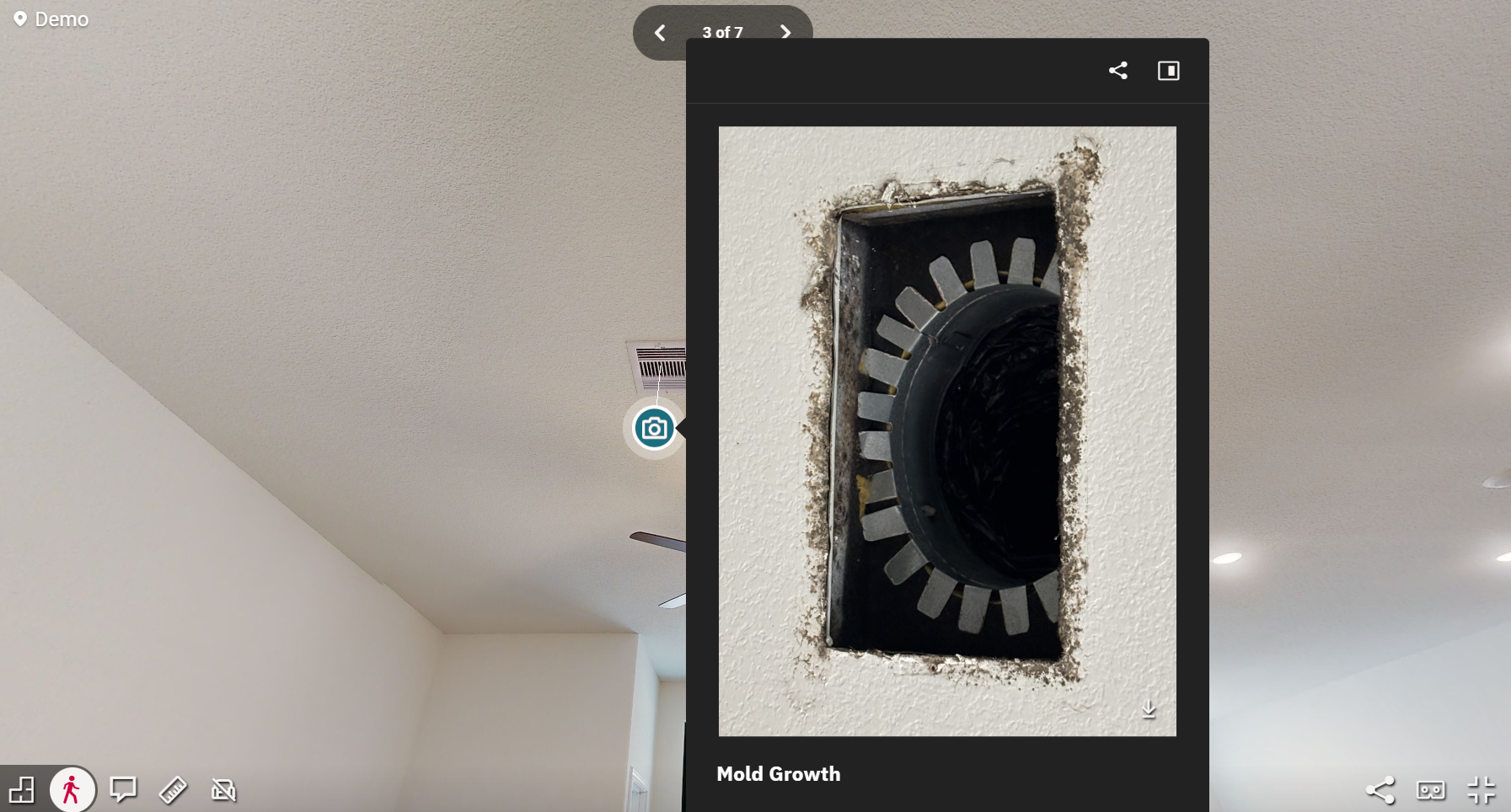
Added a photo annotation example
High-resolution imagery and data can be annotated directly within the 3D tour to visually reference areas of observed concern, access points, and sampling locations. Annotations preserve what was documented, where it was documented, and when, without interpreting cause or severity.
This approach allows consultants, reviewers, and attorneys to quickly understand spatial context—such as the relationship between HVAC components, wall cavities, and adjacent rooms—while maintaining a clear separation between visual documentation and professional findings.
On Site with the Pro3
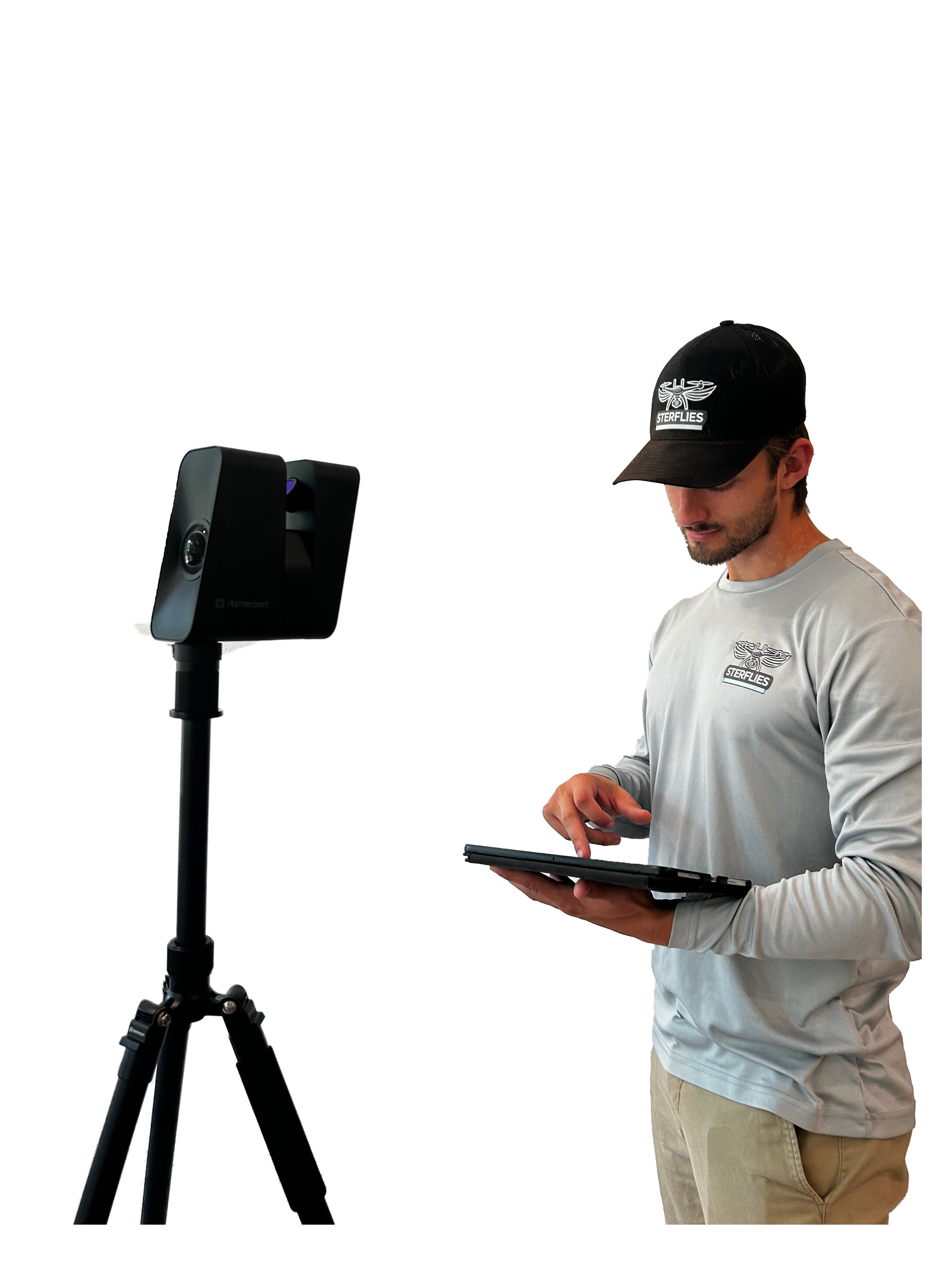
Interior capture is planned around clear line-of-sight, minimal occlusion, and consistent scan spacing to ensure rooms, corridors, and transitions stitch accurately. The Pro3 is used on a tripod for stable, repeatable capture, while live tablet feedback confirms coverage and alignment.
The resulting model creates a navigable visual baseline that allows consultants to reference sampling locations, room relationships, and observed conditions during analysis, reporting, and follow-up—reducing ambiguity and improving documentation quality.
Exterior Drone Capture & 3D Model
Exterior drone capture provides contextual documentation that can inform IAQ and moisture-related investigations. High-resolution visual imagery and thermal imaging are used to record building orientation, roof geometry, drainage patterns, exterior material transitions, and adjacent structures at the time of assessment.
The exterior 3D model does not diagnose conditions, but preserves spatial relationships that can be correlated with interior observations, sampling data, and historical findings.
Capture & QA
- Matterport interior capture with control scans to ensure accurate alignment across rooms and levels.
- Exterior drone and thermal capture at appropriate altitudes to document roof geometry, drainage features, and exterior context relevant to moisture and IAQ considerations.
- Consistent camera geometry and capture parameters so repeat documentation can be compared over time if follow-up surveys are required.
- Quality checks to confirm clear visibility of sampling locations, room transitions, material interfaces, and access points prior to delivery.
Next Steps (Plain English)
- Edit and add annotations to scan to visually document sampling locations, room conditions, and observed areas of interest as a permanent visual record.
- Share one secure link with consultants, clients, or third parties, including brief notes for “Areas documented” and “Purpose of follow-up”. Supports investigation reports.
- Pin sampling points or reference markers inside the tour (air samples, surface samples, moisture readings) to maintain clear spatial context between data and location.
- Attach exterior context (visual, thermal, ortho, or 3D) when roof conditions, drainage patterns, or envelope-related factors are relevant to the investigation.